Protection for home
Package SMS, bank calls that aren't from the bank, links that look good. Protection works in two places: at your front door and on the device you carry with you.
It activates in your router. No installation needed and it protects everything connected to WiFi: visitors' mobiles, the TV, the console and the kids' tablet.
ESET installed on your mobile, tablet and computer. This one goes with you: at work, with data and on a bar's WiFi.
The filter goes in the router, so it covers everything connected without touching a single device. No installing, configuring or remembering to renew anything.
You go into your Club, move the selector and the router applies it instantly. No calling, no waiting for a technician and no cost to change it.
Add it for €1/monthYour home filter stops protecting you the moment you walk out the door. ESET comes installed on the device: Android mobiles and tablets with ESET Mobile Security, and Windows and macOS computers with ESET HOME Security Essential.
Analyzes the links that arrive by message, by notification and through messaging apps. It's exactly where people fall for the parcel delivery notice.
Adds an extra layer when you open your bank app or pay online, and a protected browser on your computer for transactions.
Makes sure no program starts encrypting your documents and photos. It's the attack that costs the most when it happens.
Blocks specific numbers, hidden or unknown, and then you can see what calls it stopped while you weren't there.
Shows you what's connected to your WiFi and if any of those devices has a known vulnerability. It's surprising what shows up.
It doesn't just compare against a list of known viruses: it recognizes weird behaviors, which is how you catch the new ones.
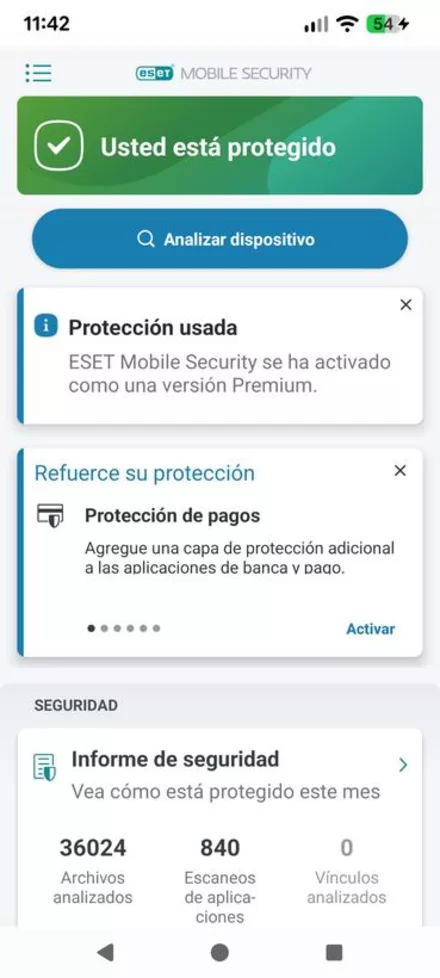
The home screen tells you if everything is in order, and the monthly report counts how many files and apps it's reviewed.
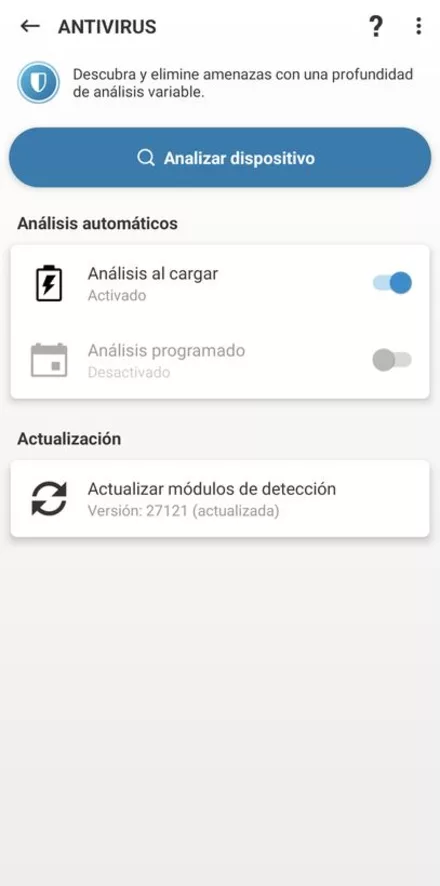
The analysis can be run manually or left to happen automatically every time you plug your mobile in to charge.
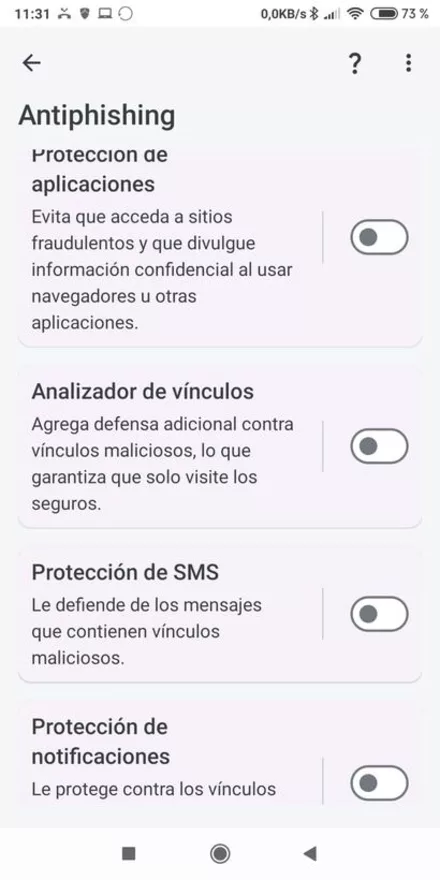
Checks the links in your SMS, notifications and messaging apps before you open them.
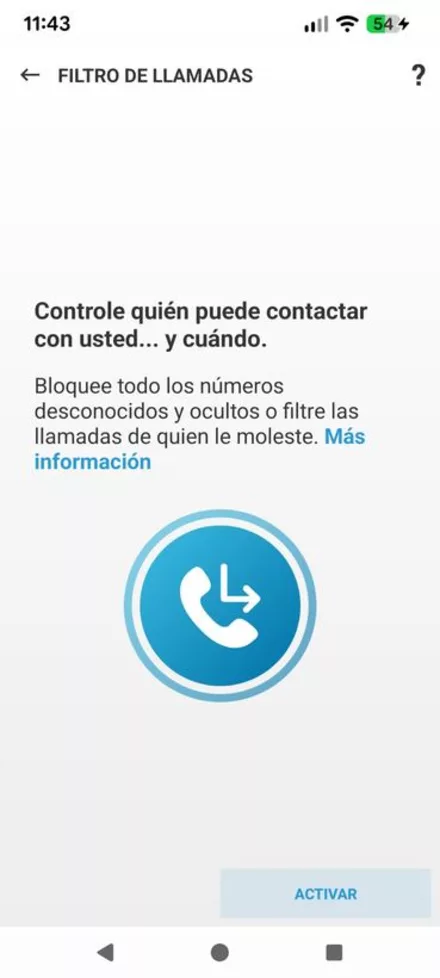
Blocks specific numbers, hidden or unknown, and then you can see what calls it stopped.
On iPhone and iPad things are different. Apple doesn't allow an antivirus to see what happens in the rest of the phone, so protection there is much more limited and it's not worth charging you the same. If you're an iPhone family at home, tell us and we'll say what actually makes sense.
You don't need both. Look at where your problem is.
| Situation | Your network 1 €/month |
ESET 4 €/month |
|---|---|---|
| Your TV, console and smart plugs at home | ||
| Visitors' mobiles, without asking them for anything | ||
| Filter adult content on your home screens | ||
| Your kid's mobile when they're at school | ||
| An SMS with a fake link, wherever you are | ||
| A virus that's already inside the computer | ||
| Your files being encrypted (ransomware) | ||
| Annoying commercial calls | ||
| Not having to install anything anywhere |
No, they're independent. The Network Pack protects everyone who connects to your home WiFi without installing anything, and it's the most convenient if you have TV, console, tablets and visitors at home. ESET is installed on each device and keeps protecting you when you leave home, on data or on someone else's WiFi. Together they cover the gaps that each one leaves.
No. It's applied on the router, on domain name queries, not on your traffic. It doesn't go through any intermediary that would reduce your speed.
Yes. From your Club, on your fiber line screen, there's a selector with three positions: deactivated, basic and maximum. The change applies instantly on the router.
On computers with Windows and macOS and on Android mobile phones and tablets. On iPhone and iPad, Apple won't let an antivirus do the same, so protection there is more limited; if you have an iPhone, tell us and we'll explain what makes sense.
One. Each additional device is 1 € more per month. A family of four with two mobile phones, a tablet and a laptop comes to 7 € per month.
Then you probably don't need the ESET layer, but you do want the network one, which is a different thing and costs 1 €. Tell us what you have and we'll honestly say if you need anything.
Neither the network filter nor the antivirus perform miracles: they greatly reduce risk, but no system protects completely. What works best is still distrusting rushing. If something weird arrives, send it to us and we'll look at it.
Tell us what you have at home —how many mobile phones, if there are children, if someone works from home— and we'll tell you what you need. Without overselling.